Use the % Key to Calculate Discounts Instantly
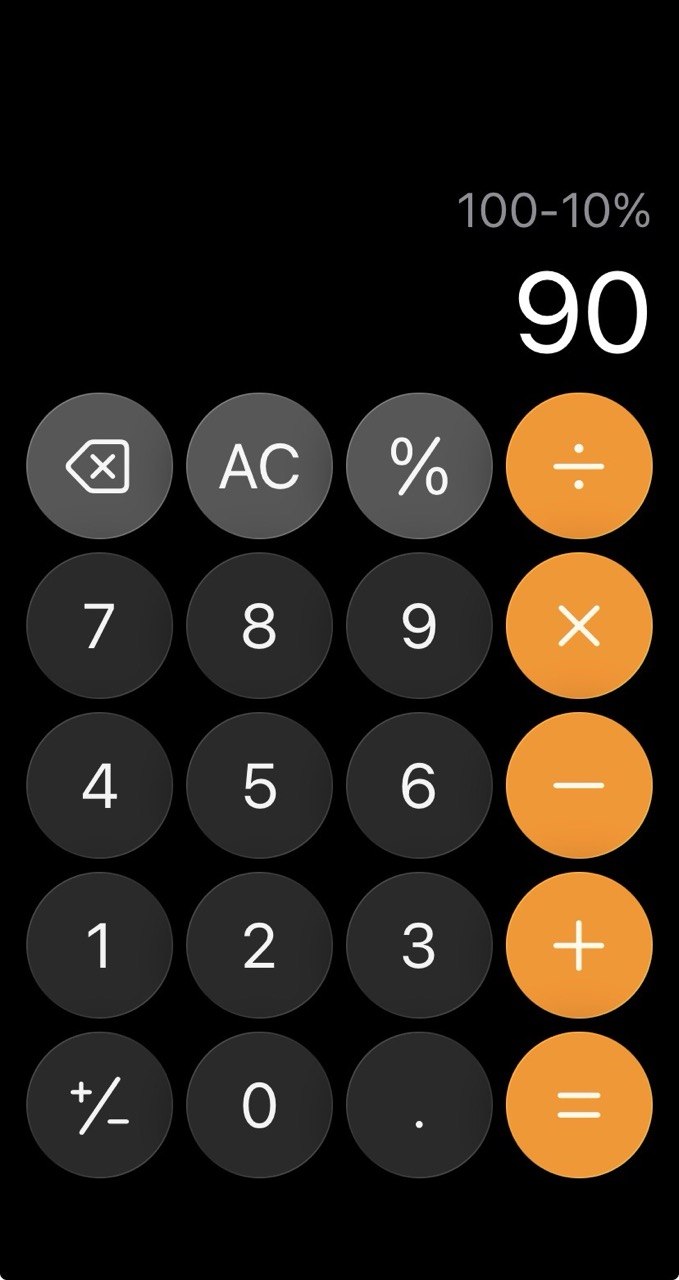
Photo: BeforeAfterTips
3-Line Summary
- Your phone’s calculator already has a % key built for exactly this.
- Type price − discount % (like
100 − 10 %) and it shows the final price instantly. - No mental math, no two-step calculation — one tap gives you what you’ll actually pay.
Why You Shouldn’t Do Discount Math by Hand
Standing in a store, you see “10% off” and start working it out: 10% of 100 is 10, so 100 minus 10 is 90. It works, but it’s two steps — and easy to slip up on with awkward numbers like 17% off a $43.50 item.
The calculator app on your phone has a % key that handles the whole thing. Most people never touch it, but it’s built precisely for percentages like discounts and tips.
❌ Common Habit — Calculating in Two Steps
- Working out the discount amount first, then subtracting it
- Fumbling the math on odd prices and percentages
- Reaching for a separate “discount calculator” app
⭕ Better Habit — Let the % Key Do It
- Type the original price, press −, type the discount number, then press %.
- Example:
100 − 10 %instantly shows 90 — your final price. - It works for tips too:
40 + 15 %gives you the total with tip included.
Key Takeaways
- The % key turns a two-step discount into a single calculation.
price − discount %gives the amount you’ll actually pay, not just the discount.- It’s already on your phone — no extra app required.
Next time you see a sale tag, let the % key do the thinking. 🧮